
How to Protect Your Identity
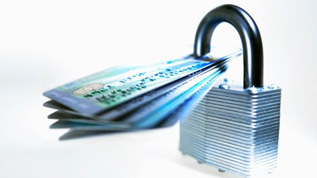
What is identity theft?
It is the theft of a person's identity (personal information) in order to commit fraudulent activity or to profit financially.
Here's an example. If you open your mail and find a substantial hospital bill requesting payment for the amputation of your right hand (the same right hand you opened the mail with), chances are good your identity was stolen.
How does identity theft happen?
Most victims are at a loss to explain where, or how thieves got hold of their personal information. But now more than ever, in this age of technology, it's important to understand how your identity can be stolen and the repercussions therein.
7 Tips to Minimize the Risk of Identity Theft:
(1) Destroy Unneeded Personal Documents.
Use a cross-cut shredder on all personal documents (with your name and address) that you don't need to keep. Cross-cut shredders are more secure than strip-cut shredders; papers are cut into minuscule pieces, making it difficult to put documents back together.
(2) Check Your Credit Report.
Recent laws entitles consumers to one free credit report per year from all 3 credit bureaus. Scrutinize your reports for fraudulent activities and report errors to:
If you are already a victim of identity theft, you can request additional reports. Visit www.annualcreditreport.com
Experian's CreditCheck monitoring service will alert you to changes on your credit report.
(3) Check Your Mail.
Remove your mail quickly from your mailbox to prevent thieves from rummaging through it. If you plan to be away on extended holidays, contact the post office to hold your mail.
(4) Register with the Do-Not-Call Registry.
Apply to stop all telemarketing solicitations. This includes junk mail and pre-approved offers from credit card companies. Your privacy may also be compromised if telemarketers share your information with a third party.
Call 1-888-5-OPT-OUT
(5) Protect Your Social Security Number.
Leave the Social Security card at home. Provide your Social Security Number only when dealing with legitimate financial institutions (banks, insurance companies) and employers.
If thieves locate your Social Security Number, they can get more personal information like your phone number, bank accounts, and credit reports.
(Passports, birth certificates and important legal documents should be held in safety deposit banks or other secure area).
(6) Do Not Share Personal Information.
Identity thieves will pull any trick to get a loan, cash, vehicles, houses, jewelry, and vacations in your name. So it is imperative not to divulge personal information on the phone.
Upfront businesses do not email or make phone calls to customers asking for information that is already secured on file. Instead, customers are notified by letter and provided a with phone numbers to contact official representatives at the company.
Avoid filling out ballots with your full name on address in hopes of winning a cruise or shopping sprees unless you are familiar with the sponsoring organization. Scam companies can pretend to sponsor the prizes but in reality, they only want your information.
(7) Keep An Eye On Your Credit Cards.
Carry only the cards you use on a regular basis. Leave the rest at home in a locked safe. Cards that have not been used in years should be canceled. Check statements to make sure that you, or an approved user made all the transactions.
Tips to Protect Yourself Online
Most Web sites will ask users to register with personal details in order to access their sites. Be careful here. There's no need to give your real name and address on the registration page of a talk show. Login as John Brown or Jane Doe.
Always read a Web site’s privacy policy to determine:
· If personal information is collected.
· Whether information is sent to third parties.
· What steps are taken to protect your security.
Protect Your Computer
Firewall:
· Some operating systems have firewalls automatically installed. Its main purpose is to protect your computer from malicious hackers hijacking your files and stealing passwords. Make sure your firewall is always turned on.
Anti-virus software:
· Protects your computer against viruses and worms and then deletes them. Choose a program that installs automatic updates.
Anti-spyware software:
· Protects against malicious sites collecting your personal data.
· Prevents other software from changing your computers configuration and slowing down the computers performance.
· Prevents tracking of websites you visit.
· Prevents identity theft and other e-threats.
e-threats dangers:
· Phishing: Pop up advertisements that instructs you to verify personal financial information.
· Smishing: A form of phishing sent by text messages on cell phones, pagers, and PDA's.
· Pharming: Hackers redirects users to bogus sites.
· Spoofing: Deceptive emails that appears to come from a trusted source, but they were actually sent by an email forger (spammer).
Secure Passwords
Choose strong passwords that are hard to decipher and that only you know the meaning of. Refrain from using common everyday words or your date of birth. Use both numbers and letters at least 8 characters long. Change passwords frequently.
Shopping Online
Buying merchandise online is very popular. Before providing credit card information, look for the icon of a 'closed lock' in the status bar. Also, 'https' in front of the URL indicates you are in a secure site.
Do not open email from unsolicited sources. If you don't know who sent it, don't open it. Email sent with suspicious attachments are often red-flagged, delete those immediately.
Online Job Sites
Post resumes only at reputable job Web sites. Do not put your address, date of birth and phone number on a resume. Provide that information when a legitimate job offer is made. Don't respond to requests to provide cash or Social Security Number up front.
Logout
Remember to logout from all sites that required you to sign in, particularly when doing online banking or shopping online.
Downloads
Exercise cautions when downloading and installing files from unauthorized vendors. You could become infected with viruses.
Know About Encryption Levels.
Encryption is complicated but it's easy to find out what your level is. It is essential to have a 128-bit encryption on your browser to get maximum internet security protection. Click 'Help' on your Internet Explorer tool bar. Click 'About Internet Explorer'. A small window appears indicating your level. If it's 40-bit or 56-bit, you can upgrade to 128-bit encryption.
More helpful tips to protect your identity
· Change all your PIN's often.
· Monitor files and conduct online transactions from your home PC, not the public library.
· Back up your online data; use this as proof if your identity is stolen.
· Photocopy your driver's license, credit cards, SSN, bank account numbers and store them in a safe place. This also proves who you are.
· Don't store private information on your cell phone which could get lost or stolen.
· Consider a 'contactless' smart cards that you pay with at checkout. Simply tap or swipe the card on a scanner. It never leaves your hands and you never have to present it to the cashier.
Additional Resources
http://www.fightingbacknow.com/node/24
http://www.ftc.gov/bcp/edu/microsites/idtheft/
http://www.unibs.co.uk/?option=com_answer&task=detail&id=82


Investing Advice

Personal Finance


Site Resources


Revolving Account
A "revolving account" is an account which requires at least a specified minimum...

What Is a Spendthrift Trust?
A spendthrift trust is a type of trust that is formed in order to allow the creator...